All guidesGo further
Share your day
For showing a parent the plan, sending a friend your Saturday, or sticking today on the fridge.
Step 1: Tap ↗
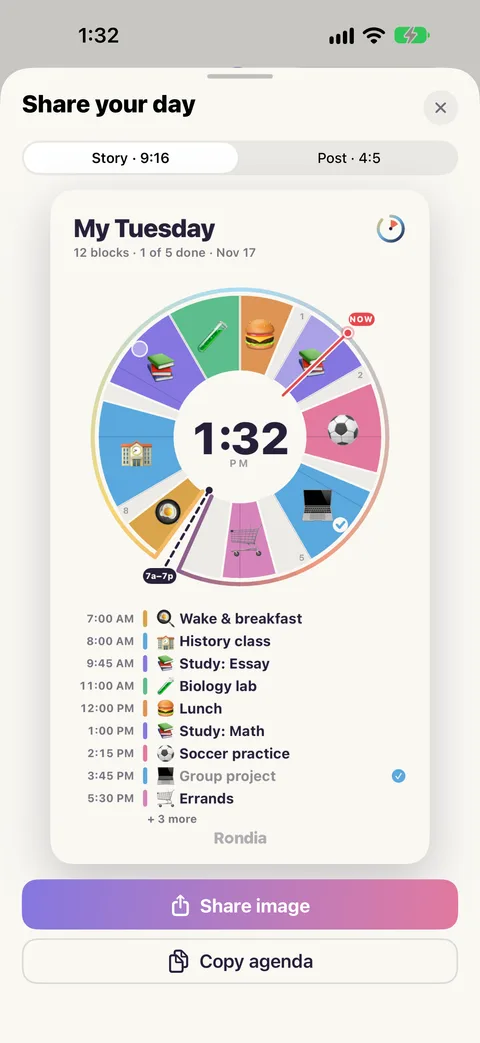
Tap ↗ at the top of the screen. Share your day opens with a picture of your dial and your list.
Step 2: Pick a shape
Story · 9:16 is tall, for a phone screen. Post · 4:5 is squarer.
Step 3: Send it
- Share image opens your iPhone's share sheet: Messages, AirDrop, Save Image, Print.
- Copy agenda copies the day as plain text, one line per block, to paste anywhere.