All guidesEvery day
Steps and Mark done
"Study: Math" is hard to start. "Problems 1 to 10" is not. Steps turn a block of time into things you can finish, and finishing is what the dial counts.
Step 1: Open a block
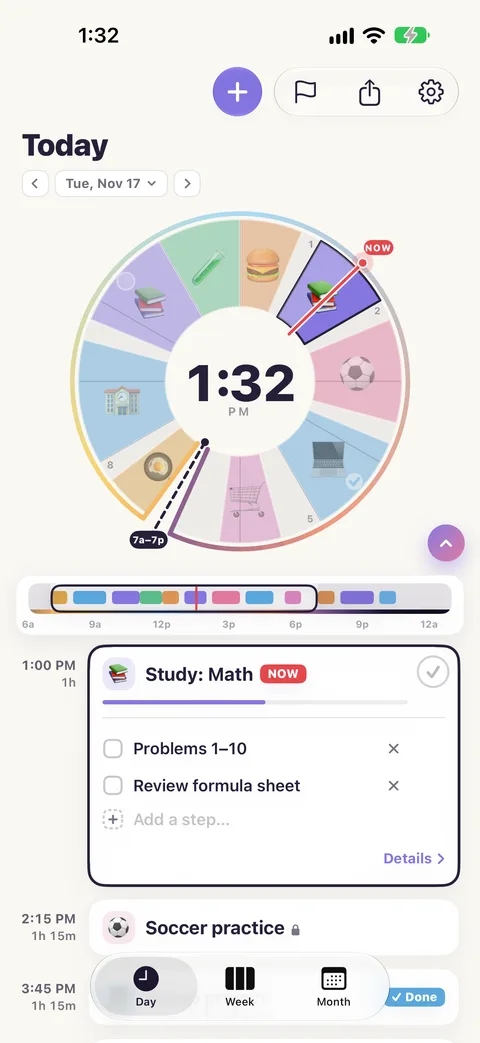
Tap a block on the dial, or its row in the list. Its card opens.
Step 2: Add steps
Tap Break this into steps… on the card (it reads Add a step… once the block has one), type a step and press Return. The box stays ready for the next one. Press Return on an empty line when you are finished.
Good steps are small and start with a verb: "Outline the argument", "Pack swim bag", "Feed the dog".
Step 3: Tick them as you go
Tap a step to tick it. The card shows how far you are, "1/2".
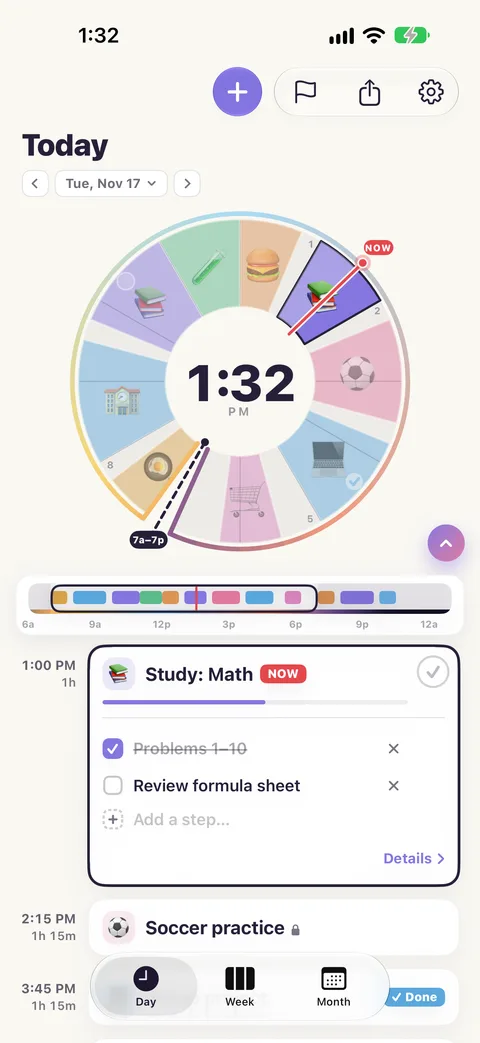
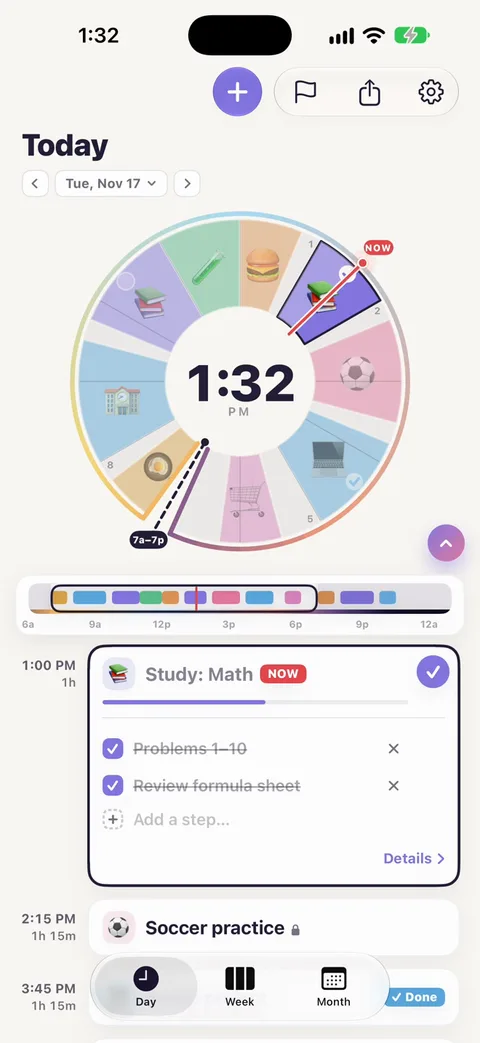
When the last step is ticked, the block is done by itself.
Step 4: Or mark the whole block done
For a block with no steps, tap the circle at the top of its card (Mark done). Tap it again to undo.
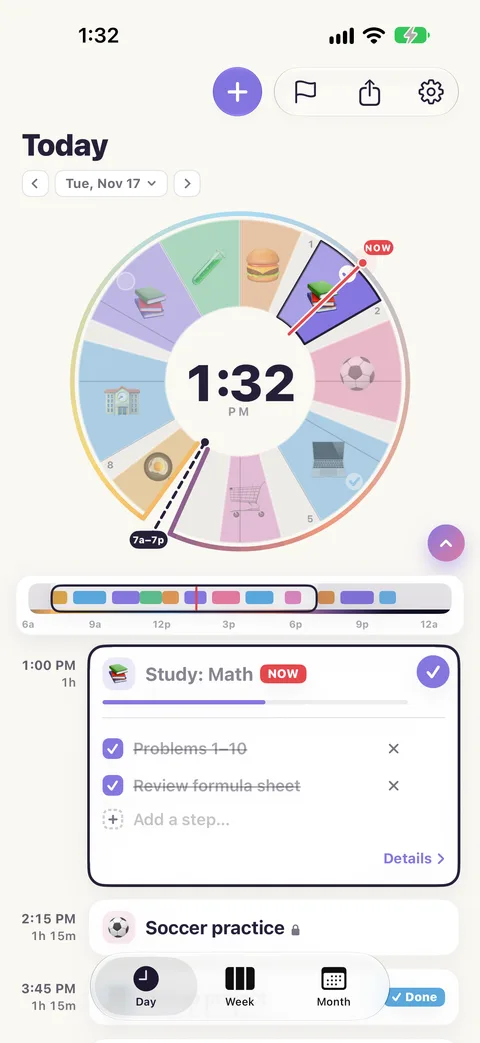
A done block gets a small tick at its rim on the dial. A block whose time has passed without being done gets an empty ring there instead: an honest nudge, not a telling-off.
Step 5: Watch the count
Tap the centre of the dial until it shows the count: "3 of 5 done".
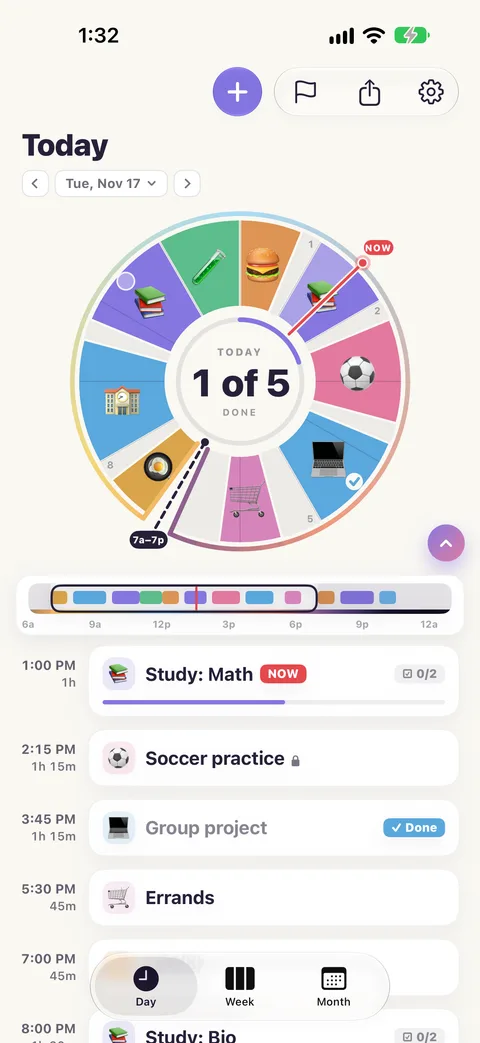
What is counted: blocks with steps, blocks you have marked done, and blocks with Track this as something to do switched on. Lunch and the bus ride are not tasks, so they are not counted.
Step 6: Finish the day
When everything you meant to do is done, the centre turns green, and a card closes the day: "Everything you set out to do."
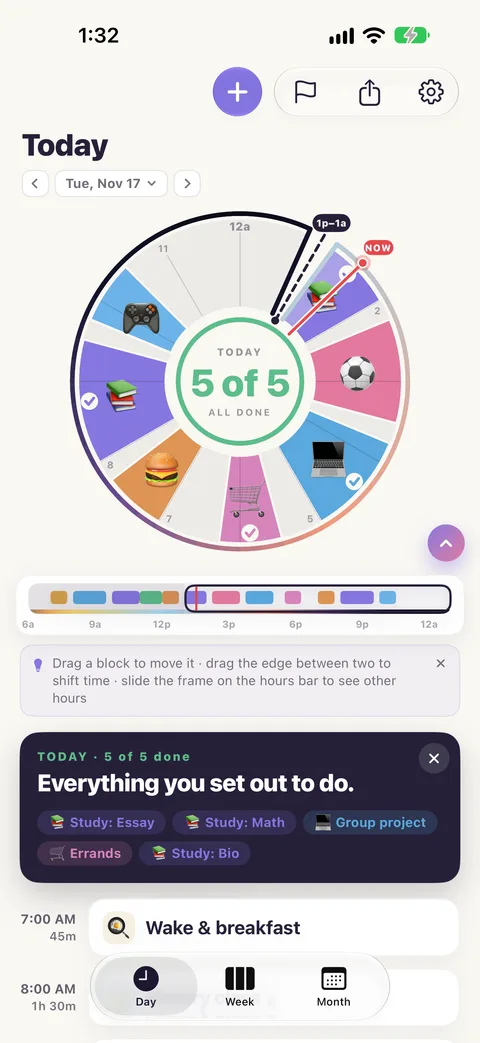
Tomorrow the count starts again at zero.